
Explore first
7-day Free Trial
Open Agent Studio with guided sample data. No payment information required.
$0/ 7 days
✓Full desktop workspace
✓Sample clients and properties
✓No credit card required
Try the workflow before you own it.
Agent Studio Private · Windows desktop app
Run your whole business between showings. Agent Studio keeps your clients, your numbers, and your paperwork in one file on your own hard drive — dashboard, calculators, letters, and flyers, all in reach with zero signal.
The demo runs in your browser with sample data. Agent Studio Private installs on your Windows computer.
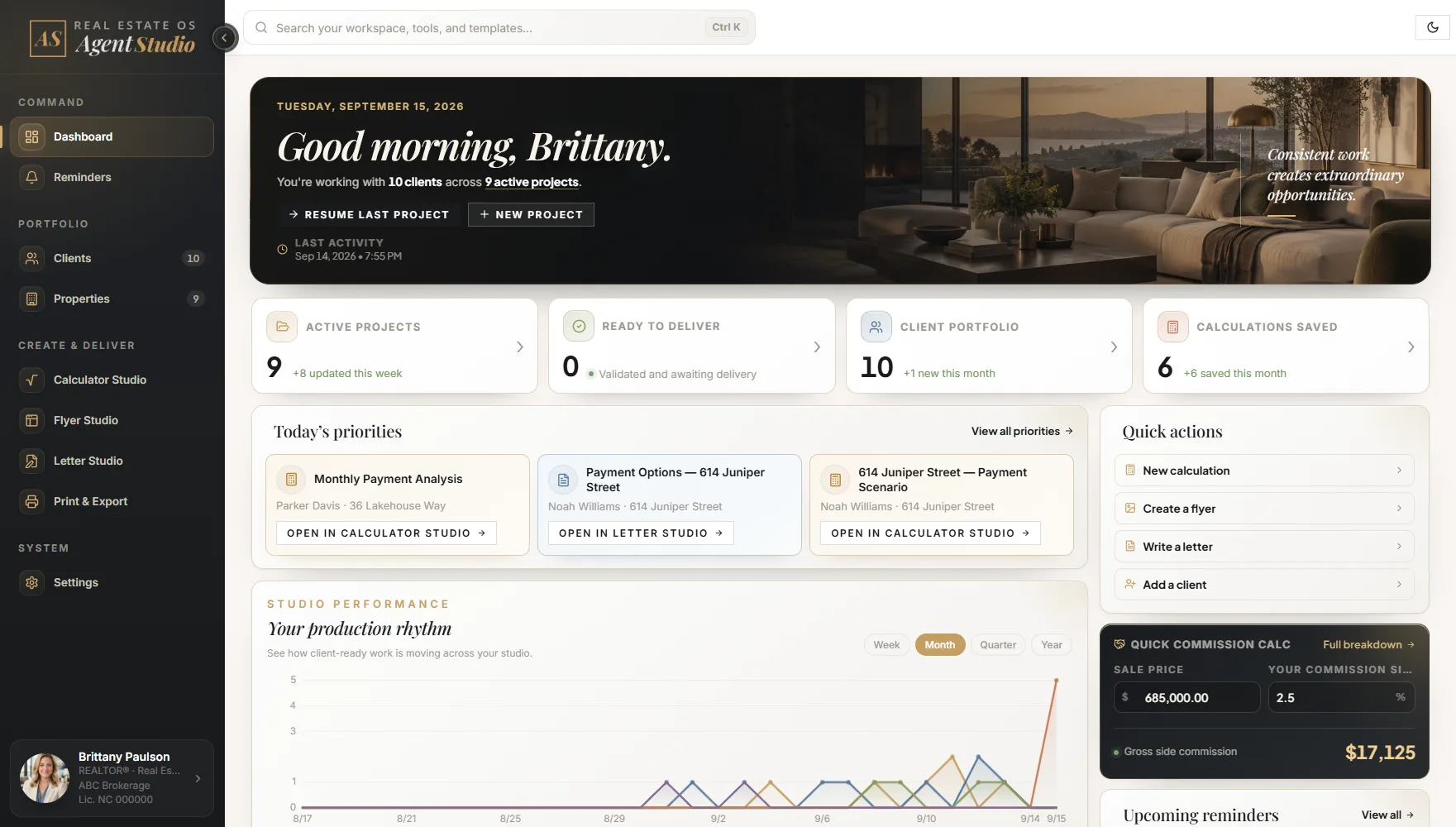
29-second product tour
Watch a client record become a calculation and finished document.
Agent Studio Private
One-time purchase
No required subscription
Windows desktop app
Installed on your own PC
Private & local
You’re in control of your data.
Open Agent Studio with guided sample data. No payment information required.
✓Full desktop workspace
✓Sample clients and properties
✓No credit card required
Try the workflow before you own it.
Own the complete Windows real estate workspace. No required subscription.
Founding price for the first 50 customers or through December 31, 2026 — whichever comes first. The Microsoft Store listing is the final price.
✓Clients + properties
✓Free updates within your version
✓Unlimited clients, properties, letters, and flyers
✓Works fully offline on Windows
Secure synchronization and access across your authorized devices.
Launching
January 15, 2027
Pricing will be announced before launch.
✓Automatic updates
✓Secure multi-device sync
✓Optional Cloud subscription
No payment required. Unsubscribe anytime.
NO FINE PRINT
Clear answers about privacy, licensing, updates and support.
Yes. Agent Studio Private is a one-time purchase on the Microsoft Store with no required subscription. The $59 founding price is available to the first 50 customers or through December 31, 2026—whichever comes first. The standard price is $99 beginning January 1, 2027. Your first year of Private updates is included. Agent Studio Cloud will be a separate, optional subscription.
Private is the Windows desktop application you install from the Microsoft Store and keep under your individual license, with working data stored locally on your device. Cloud is a separate optional edition in development for syncing across authorized devices and receiving updates automatically.
Agent Studio Private stores the working data you enter in local application storage on your Windows device. It is not automatically uploaded or synchronized to Evermont, and no Cloud account is required. Agent Studio does not add its own password or encryption layer, so use Windows sign-in, disk encryption and screen locking for sensitive information.
Yes. Export a full workspace backup regularly and store it securely outside the application. Installing or moving Agent Studio does not transfer your workspace data; use the app’s backup-and-restore tools when changing devices or recovering your work.
No. Agent Studio includes Letter Studio and Flyer Studio for creating branded, client-ready letters and listing materials directly from connected client and property records, with built-in print and PDF output. The designs are automatically aligned to ensure smooth printing and a sleek, professional look. No design experience required.
Agent Studio Private is installed straight from the Microsoft Store, including the desktop application, a choice of sample or clean workspace, and in-app guidance. Install and open it as a Windows desktop application—no browser launch or Cloud account is required.
Yes. Your brokerage name, logo, colors, agent photo, contact details, disclaimers and QR links flow into your documents.
The standard purchase is a single-agent license for your own real estate business. Team, brokerage and enterprise use requires a separate written agreement.
Agent Studio Private is sold through the Microsoft Store, so refund requests are handled through Microsoft's own refund process. See our Refund Policy for details and request instructions.